
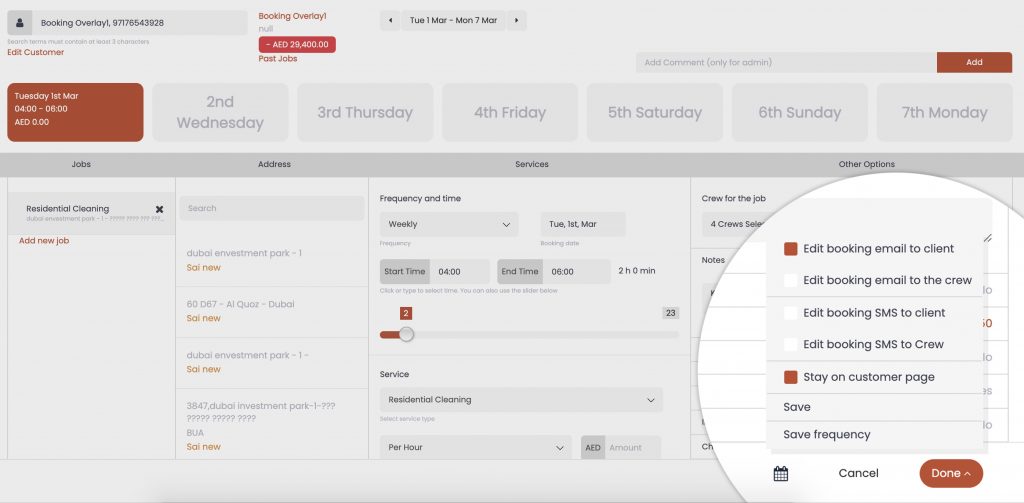
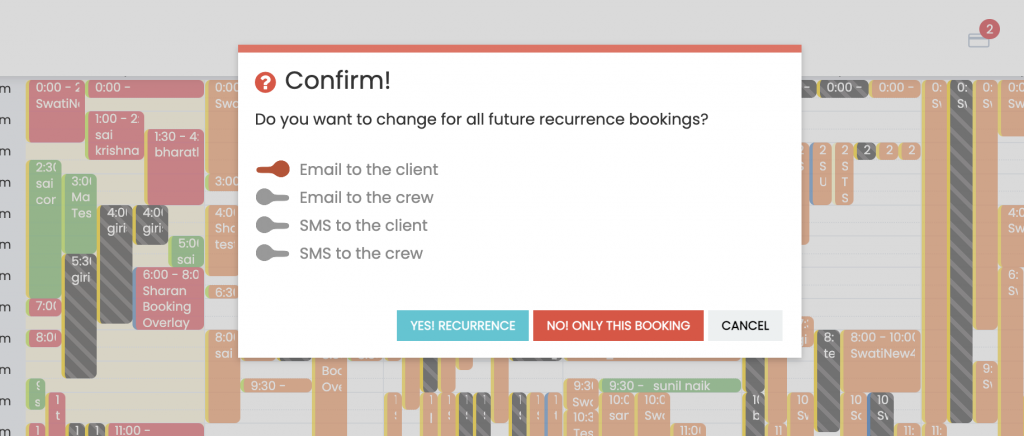
- Select “Save” or “Save frequency” from booking itself.
- Select “Stay on customer page” if you wish to Add or edit other bookings of the same customer.
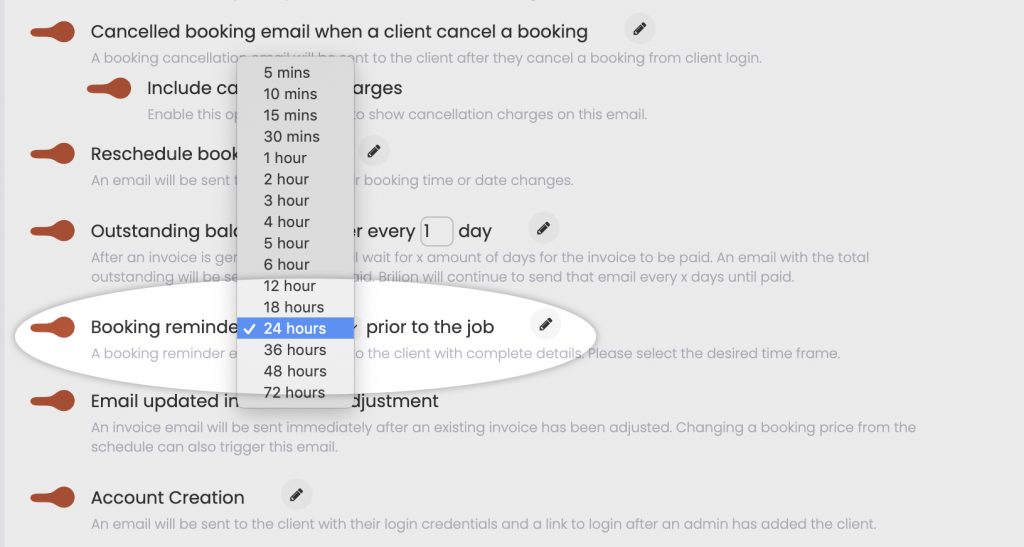
- Select and deselect notification options while adding or editing a job.
Other admin updates
- Crew and Customer passwords have been masked. Admins will be able to set their passwords.
- Company number to be editable by the admins.
- Ability to manually email invoices and receipts even if email option is turned off.
- Ability to increase booking hours and drag drop unassigned jobs in weekly and monthly view
- Weekly view full screen view on high resolution desktops.
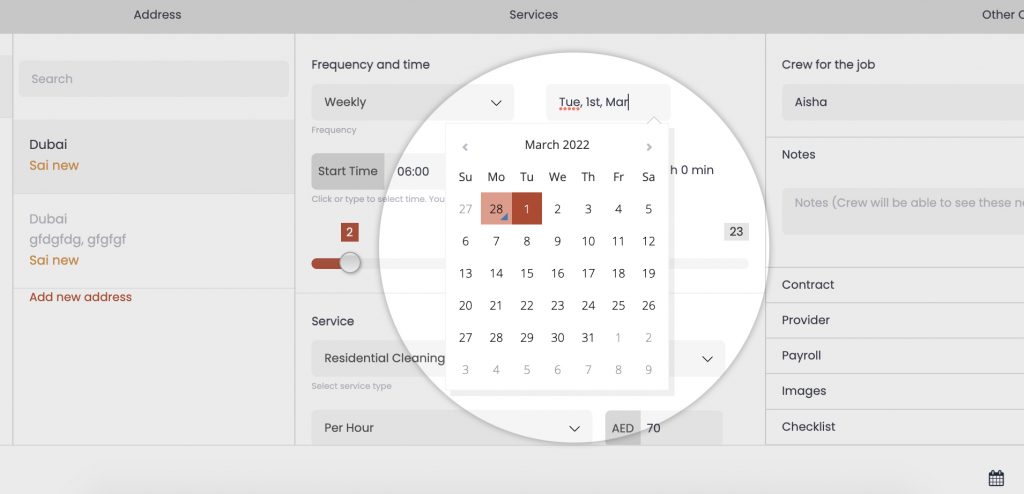
- Stay on the same time frame when adding or editing a job from weekly/monthly view.
- Ability to turn off online payment in invoices even if the payment gateway is integrated.
- Add crew UI enhancement
- Payroll UI enhancement
2) Customer Page Enhancement
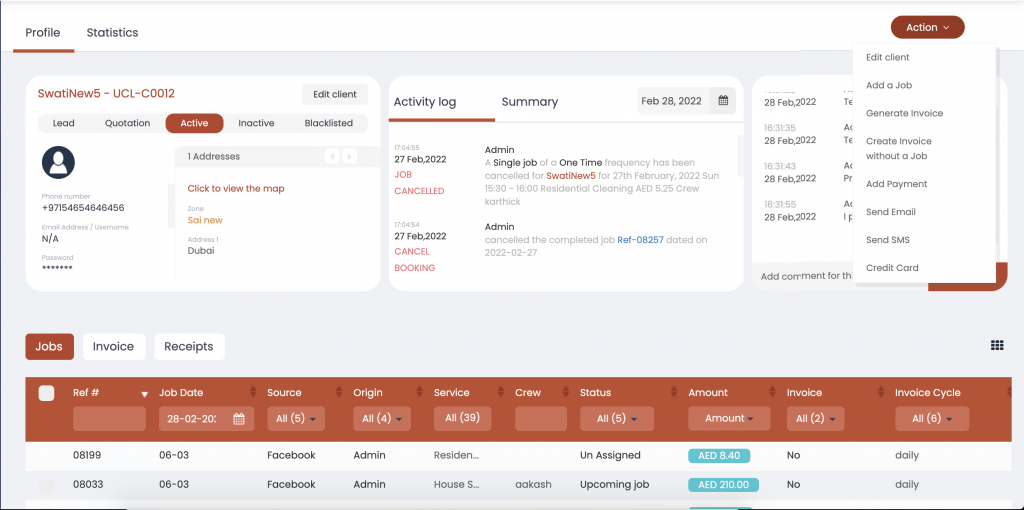
- Activity log for individual customers within their account
- Comment section
- View all addresses and their custom fields.
- Send custom SMS and Email from customer page.
- Use stored credit card
- Customizable jobs job table and ability to edit jobs from here itself.
- Customizable jobs, invoice and receipt tables. (Check point 4 to learn more)
3) Additional Payment methods
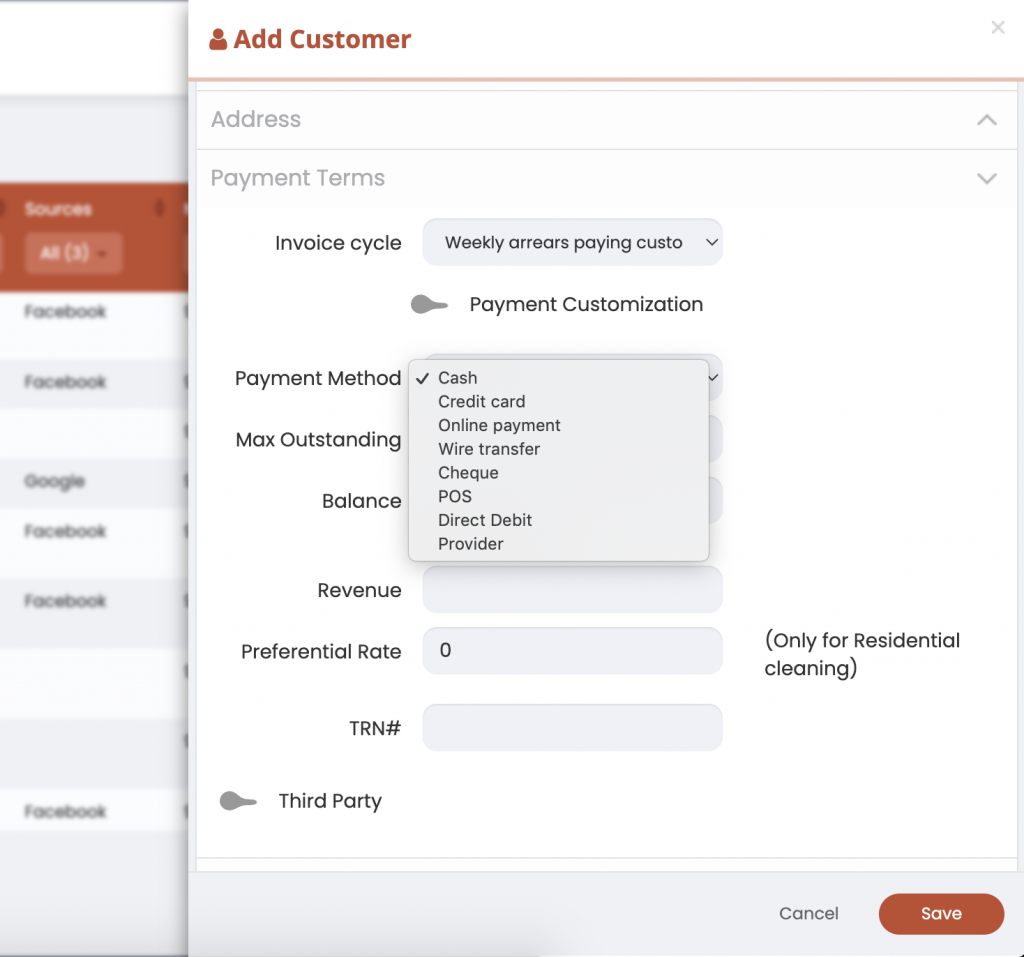
- While Adding or editing a customer you will be able to select their preferred payment method
- Customer acquired through online booking who have already paid online will automatically be considered as “Online Payment” payment method.
- Payment method will be predefined from customer account while creating a booking. Admin will be able to change it for a booking if needed.
- On invoice table you will be able to filter our customers based on their preferred payment method
- Admin will also be able to select one of these payment methods while adding a receipt.
4) Job, Invoice and Receipt table customization.
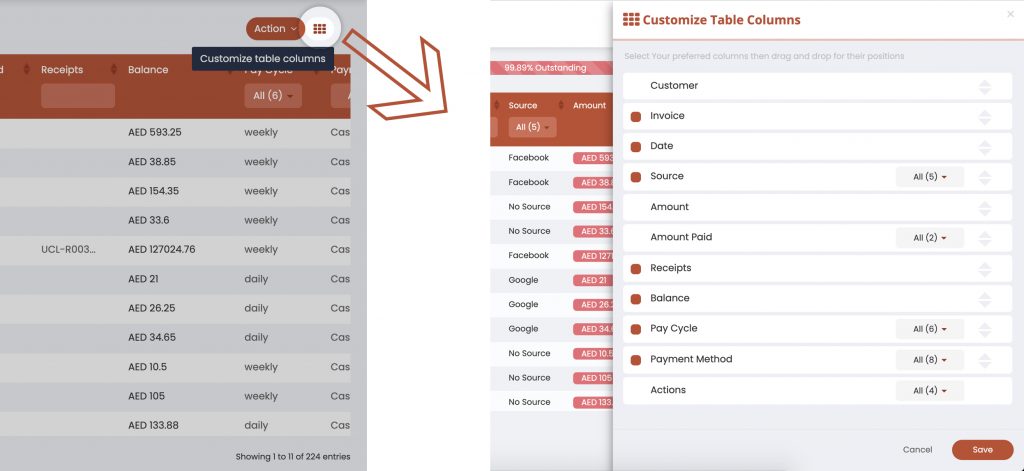
- You can find the 9 dots icon at the top right of each tables (Jobs, Invoice and Receipt)
- You can also find them within the customer profile.
- You can then customize the column order by drag and drop, select preferred filter and save.
Other Bug Fixes
- Online booking bug fixes
- Fixed issue where we cant manually put in end time.
- Action button on dashboard fixes.
- Settings > 24 hours working hours fix.
